THE CENARIU PRO SHOWCASE
See the extra tools.
Find your next step.
Explore supplier automation, purchasing, internal orders and invoicing before choosing Pro.
01 / SUPPLIER IMPORT PRO
Go beyond manual CSV imports.
Pro adds XML and JSON files, direct public supplier links and scheduled updates to the free plugin.
Choose your supplier source
XML example
<product>
  <sku>CENA-DEMO-101</sku>
  <name>Demo Desk Lamp</name>
  <price>24.00</price>
  <stock>42</stock>
</product>
On this demo installation, the real Pro plugin read a three-product XML file and completed the import. These products are fictional.
JSON example
{"products": [{
  "sku": "CENA-DEMO-101",
  "name": "Demo Desk Lamp",
  "price": 24, "stock": 42
}]}
Set the list path when the product array is inside a section, such as products. This is example input, not an executed import.
Direct public links
Pro can read a direct public HTTP/HTTPS product file. Authenticated APIs and private network addresses are not supported. This showcase does not fetch visitor-entered links.
Scheduled supplier updates
Available intervals: 15 minutes, hourly, twice daily or daily. The store operator explicitly authorizes the schedule. Future runs use the supplier’s saved mapping and price rules.
WordPress scheduled events depend on site activity. No schedule is running for this public showcase.
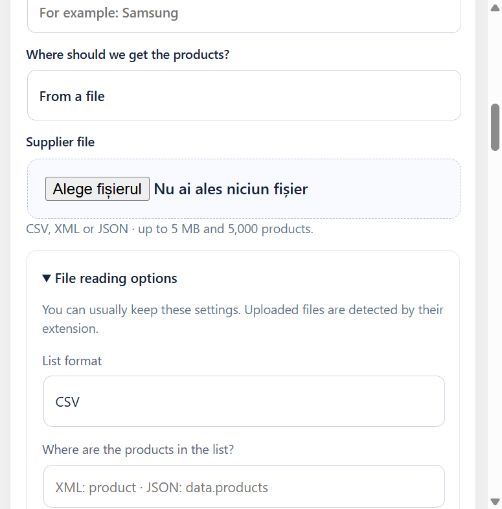
Open the capture to inspect the interface. Captures are view-only images.
From supplier price to store price.
| SKU | Supplier price | Store price | Stock |
|---|---|---|---|
| CENA-DEMO-101 | 24.00 | 28.80 | 42 |
| CENA-DEMO-102 | 12.50 | 15.00 | 18 |
| CENA-DEMO-103 | 38.00 | 45.60 | 26 |
Verified with fictional data in the installed Pro plugin. Prices use the same currency as the test store. New products are created as drafts.
02 / PURCHASING PRO
Make purchase orders easier to prepare.
Explore minimum quantities, order multiples, direct PDF downloads and confirmed supplier emails.
Order rules, explained
ILLUSTRATIVE SCENARIO · SIMPLE PRODUCT
| Quantity | Rule outcome |
|---|---|
| 9 units | Below the minimum |
| 12 units | Not a multiple of 5 |
| 10 or 15 units | Meets both rules |
Rules apply to simple products. This table explains the behavior; it does not create an order.
PDF documents
Pro provides direct Unicode PDF downloads. Basic already offers a printable document that can be saved as PDF through your browser. Downloading a purchase PDF does not change stock.
Supplier emails with PDF
Review the document, recipient and message, then explicitly confirm sending. Pro attaches the PDF. Uncertain attempts require review rather than an automatic resend.
Outgoing WordPress emails are blocked on this demo site. The public showcase has no send form.
What stays in Basic?
Suppliers, manual purchase orders, partial receiving and stock updates, acquisition costs, reorder suggestions and supplier offers. These are not Pro-only features.
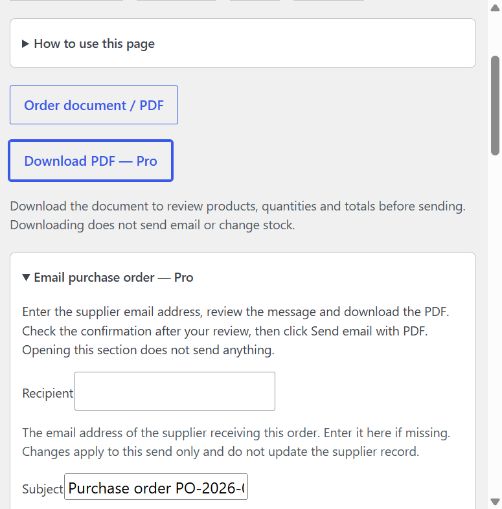
Fields shown in this image cannot be edited or submitted.
03 / ORDERS & INVENTORY PRO
From order to invoice. Keep every step clear.
Explore internal orders, reviewed billing drafts, numbered RON invoices and full credit invoices. Built for WordPress, independently of WooCommerce.
Follow a fictional order
VERIFIED TEST WORKFLOW · PRO 0.32.1
1. Select products and save the order
The free base lets you select several products before continuing. The order intake date starts at the current date and can be changed; the customer name is required. Delivery and payment are separate operations.
Our existing fictional test order contains one tea product at 7.00 RON and two juice products at 25.00 RON each. Total: 57.00 RON.
2. Review the billing draft
Complete issuer and customer billing details, then create a draft from the order. With an explicitly configured test rate of 21% and tax-inclusive source prices, this example produces 47.11 RON net and 9.89 RON tax.
The rate is sample configuration, not a recommendation for real products. Drafts do not have an issued invoice number.
3. Issue the numbered invoice
Review dates, parties, amounts and tax treatment, then explicitly confirm issuance. In our test, series TEST/2026 produced invoice TEST/2026/1 for 57.00 RON. Its PDF preserves the issued values.
Issuing this document did not deliver the source order, record payment or consume stock.
4. Correct with a full credit invoice
A separate document, TEST/2026/2, references TEST/2026/1 and reverses its quantities and amounts: −47.11 RON net, −9.89 RON tax, −57.00 RON total. The original invoice remains in the register.
A full credit invoice records the document correction. Physical returns, stock and payments remain separate operations.
What stays in the free base?
Products, internal orders, customers, delivery, stock rules, payment recording, commercial offers and proformas. Pro adds reviewed billing drafts, numbered invoices, invoice PDFs, full credit invoices and an invoice archive.
Requirements and current scope
Requires the matching free Cenariu Orders & Inventory plugin, WordPress 6.5+, PHP 8.1+, InnoDB tables and PHP mbstring for PDFs. This invoicing workflow covers domestic RON documents with configured VAT or an explicit exemption basis, and full credit invoices. Advances, foreign currencies, partial credit invoices and special tax regimes are outside the current scope.
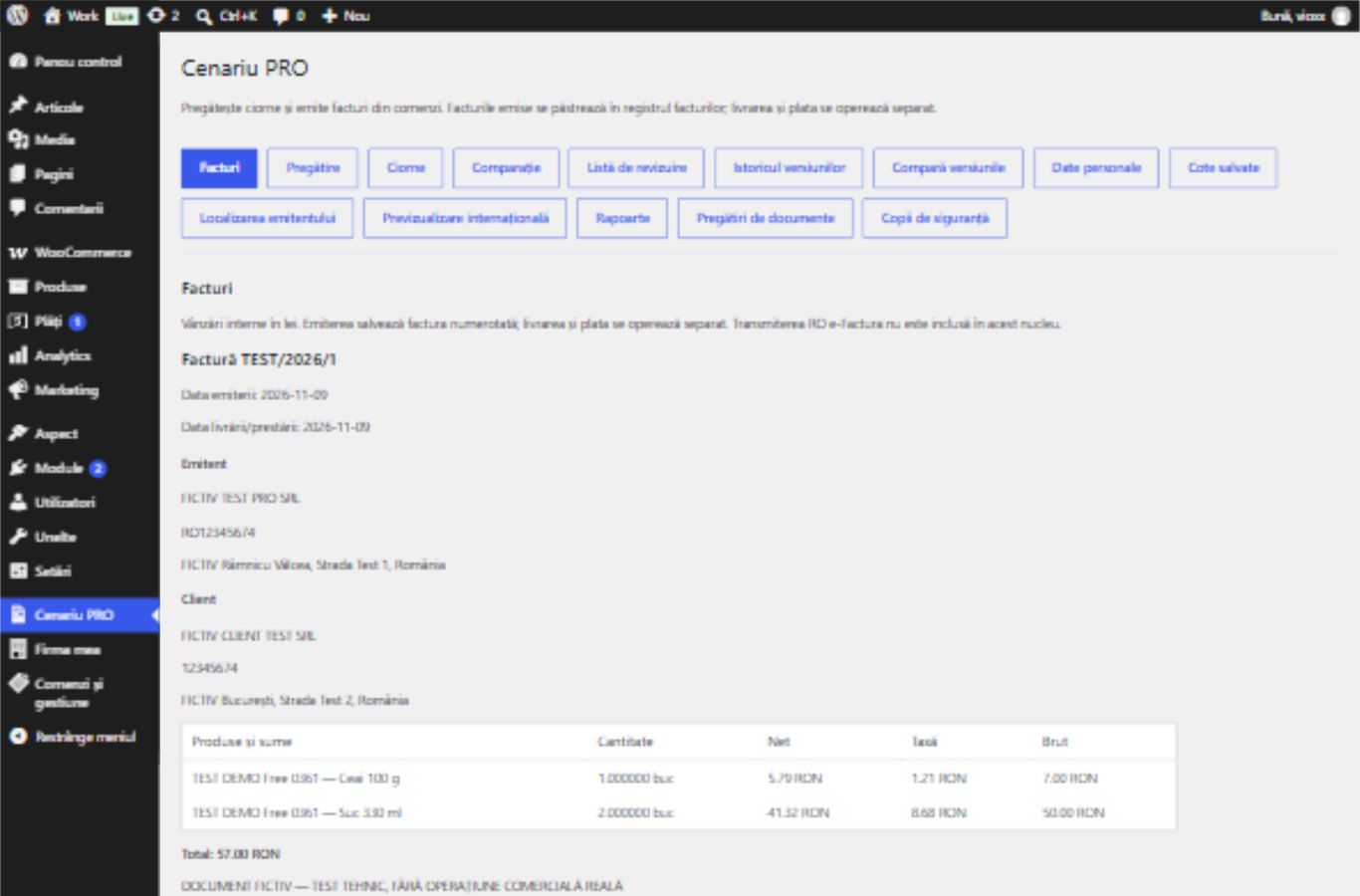
Open the capture to inspect the interface. This is a view-only image, not an editable administration session. All issuer, customer and product records shown are fictional test data.
Amounts saved in the issued documents.
| Document | Net | Tax | Total |
|---|---|---|---|
| TEST/2026/1 | 47.11 | 9.89 | 57.00 |
| TEST/2026/2 · credit | −47.11 | −9.89 | −57.00 |
Verified using fictional records on our test site. Viewing these examples does not issue documents or change any business records.
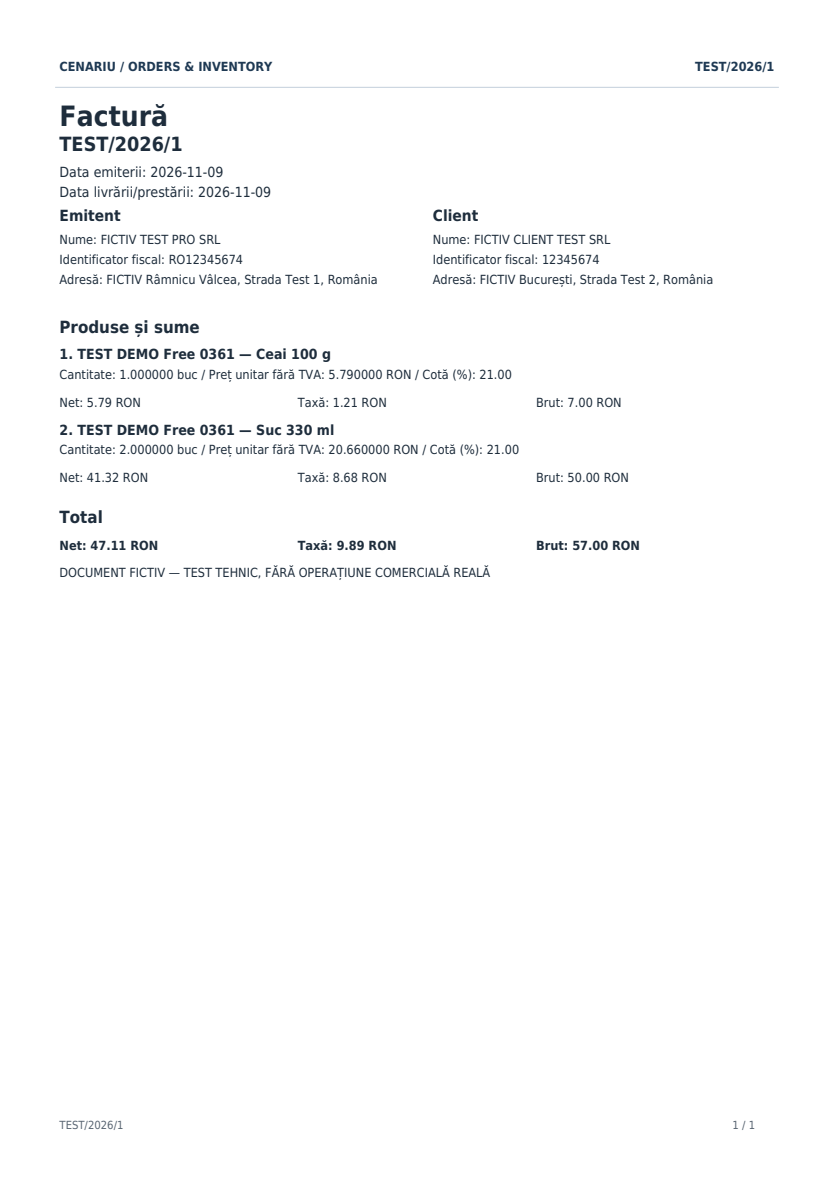
A rendered capture of the PDF downloaded from the plugin. Open it to inspect the Romanian text, amounts and numbering.
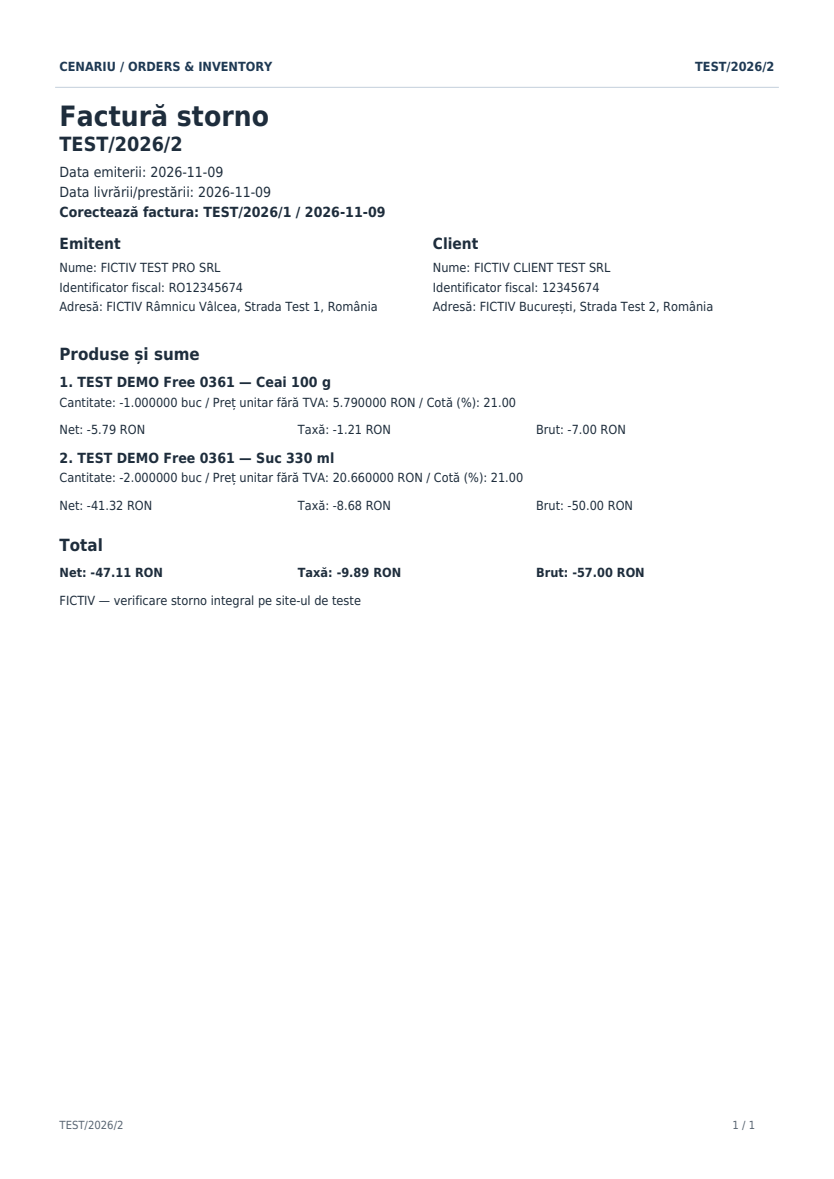
The correction keeps its own number and refers to the original document.
Choose the tools your business needs.
Each Pro plugin: €2.99/month or €29/year for one site. Sales are coming soon.